
It's been another busy month at AccredTix. Most of the work landed in five places: the event dashboard, imports, catering, Ada, and forms.
Here's the list:
Event dashboard
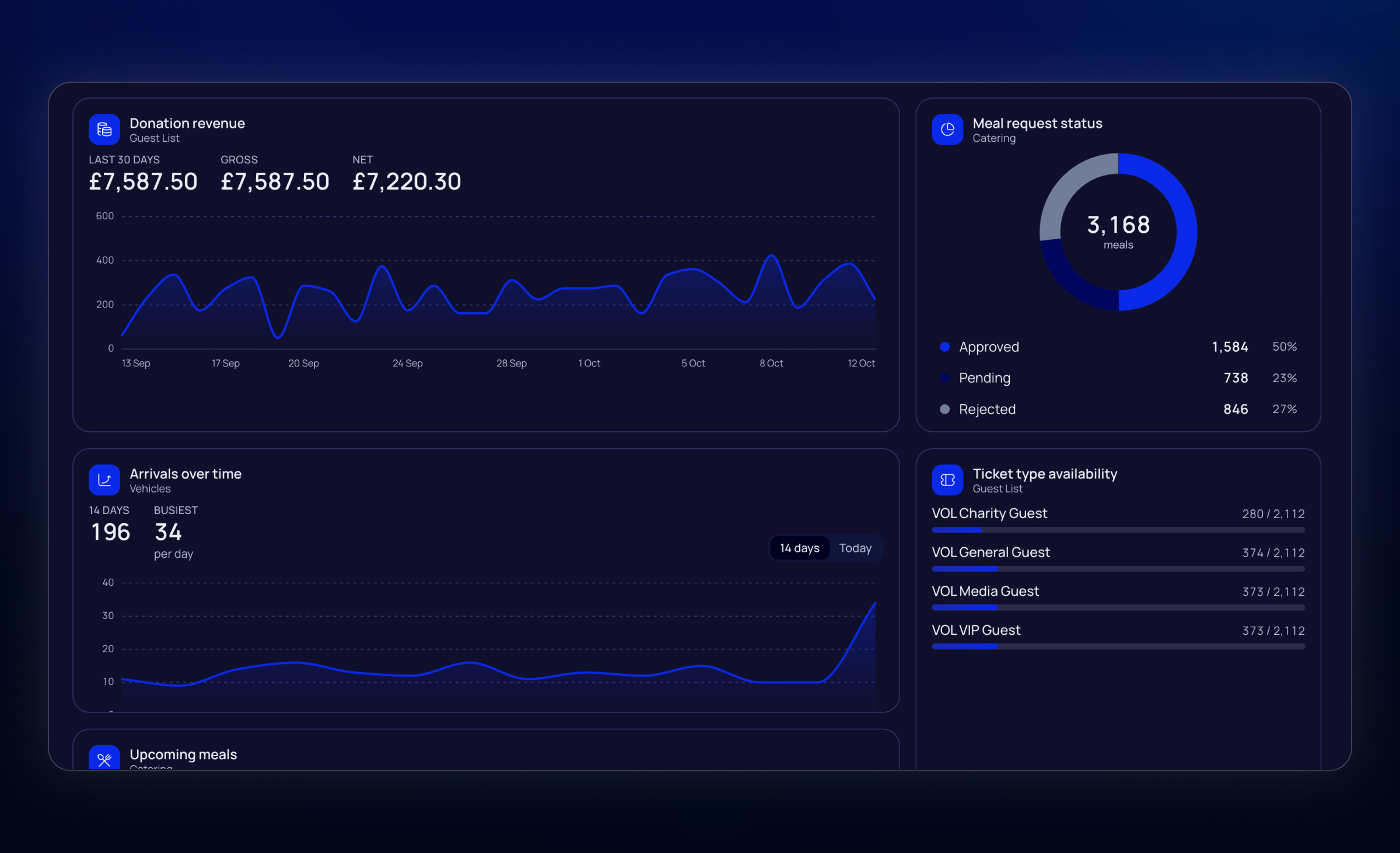
The event home page is no longer a fixed layout. Each person gets their own dashboard per event: drag, drop, and resize widgets on a three-column grid. Layouts are stored per user, so two people on the same event can pin different things.
Spreadsheet imports
We've seen people struggle to use our old bulk importer. That's why we replaced it with a brand new spreadsheet importer across the product: download a template, fill it in, upload it, fix whatever the validator flags, and submit.
Organisers can import teams, people, pass types, vehicles, and accommodation properties. Team managers can import people, guest list, vehicles, and catering from the team portal, with the same allocation checks as adding rows by hand.
Catering
Meal sittings: Breakfast, lunch, and dinner are no longer the only options. Each event has its own list of sittings: brunch, crew dinner, late service, whatever you need. You can rename them, reorder them, and add up to 20.
When you add meals, you pick a date range and one or more sittings in a single step, so a week of breakfast and lunch doesn't mean fourteen separate creates.
Ada
Ada now knows more about the page you're on. The dashboard, Teams, accreditation, and guest list show an Ask Ada shortcut built from what's actually waiting like pending approvals, a lagging team, a full allocation, meaning you can send that question without typing it.
When you open Ada, the suggestion chips are built from the event's real data rather than generic prompts. After each answer Ada suggests a next step. Long result cards collapse instead of filling the panel. If a write is refused, you get a clear reason and, where it matters, a choice of which group or record Ada meant.
Forms
Repeater field: Forms can include a repeating group of fields. One "plus-one" block, several crew members, a list of equipment lines. You set a label per entry and optional min/max counts. People add as many entries as you allow.
Responses are actually readable now. Opening a form response shows the answers, including files, and you can download those files. You can also export answers for a form, a team, or a team's form. There's a Forms tab on the team page so you don't have to go hunting.
Document
Document types now have a submission deadline shown to team contacts, with optional reminder emails 14 days, 7 days, and 1 day before. Reminders only go out for documents still awaiting upload; uploads stay available after the deadline. Saving reminders creates the default Document Submission Reminder email template if the event doesn't have one yet.
People
Accommodation on the person page: A person's stays show on their details page, with a link through to the booking. You no longer have to cross-check the accommodation module to see where someone is sleeping.
Smaller Things
Click a table row to open it, instead of hunting for the action button.
Selected tabs survive reload and Back.
Table exports keep special characters instead of mangling names.
Bulk email treats addresses case-insensitively, so Alex@ and alex@ are the same person.
Two people assigning passes at the same time can no longer overfill an allocation.
The team portal now checks vehicle allocation before a manager creates a vehicle.
Apple Wallet pickup passes fall back to the default logo if an update would have left them without one.
Event dates can be deleted in bulk; a date still in use by meals, passes, or similar cannot be deleted.
If you want to find out what we're currently working on, check out our Roadmap.